Categories
Camera Cleaning Equipment Gadgets Hardware Milestones Photography Reviews Tech Talk Utilities

Cleaning My Sensor

Clean Me Please!
Clean Me Please!

I have had my Canon XTi since 2007, and all during this time, I have used numerous tools to dust out the sensor chamber, including my old spray paint brush and compressor.

But lately, the dust monsters have really taken a toil on my productivity, only increasing my touch-up skills, and it was during my processing of some foggy morning pictures, that I knew, something had to be done.

Turning to my online connections on Facebook and Google+, I asked the question if anyone had done their own sensor cleaning, and if they had any tips, suggestions.

While waiting for responses, I started my own research, with a reference page, as well as reading various reviews on Amazon, Adorama and B&H Photo.

A great place to start, is CleaningDigitalCameras.com, which has a lot of comprehensive information on various tools and techniques.

After reading various pages, I knew that I needed 1) a very careful “Dry” cleaning; and if that did not work, 2) a “Wet” cleaning with swabs, and the two main vendors to look at were VisibleDust and Photographic Solutions.

What am I looking for?

I searched the internet for what it would cost me to get my camera Professionally cleaned, and although prices varied, be prepared to spend $60+ per cleaning, and being without your camera for a period of time, and in some cases, not as clean as you hoped (or paid for).

So, I am looking for a “Beginner” kit that can offer me both a Dry and Wet sensor cleaning option that does not cost a great deal.

As my daughter says, I’m cheap…

I like to think frugal…

VisibleDust

The VisibleDust systems are very cool looking and many different options to suit your needs, and I almost purchased their Christmas Special, but after reading some of the reviews on Amazon, I became very hesitant.

Photographic Solutions

According to Photographic Solutions, they actually worked with NASA to develop the BrushOff system, and is endorsed by most of the major camera manufacturers.

They offer two different “Digital Survival Kits“: Basic and Professional.

The Basic offers the same basics as the VisibleDust Christmas Special, but one still needed a brush, and with that additional cost, the price for the two systems is about equal.

The Professional version offers a Brush, Magnifying Glass and Air Blower, all in a nice nylon pouch for around $125.00 USD.

Adorama

I recently upgrade my Adorama account to a VIP status (what ever that means), and was eager to see if this might affect my order in any way.

On Wednesday, December 26th, I placed my order for the “Photographic Solutions Pro Digital Survival Eclipse Kit #2” and opted for the 3-5 Business Day shipping for an added  $3.95, and figured I would see my package early next week, just in time for the new year!

Saturday (30th), the snow is still falling, and my son and I, are finally finishing the plowing of the driveway by hand, and in checking the mailbox, I was very pleased to see a package from Adorama!

I know what I get to play with tonight!

Preparations

Finally, around 11PM Saturday night, the house is quiet, and I am able to unpack and examine my new toys.

Knowing that I wanted to start with a dry cleaning, I once again reviewed the BrushOff video provided on the Photographic Solutions website.

Note 01 – In the video, the instructor mentions an ECLIPSE packet that comes with each brush. This is NOT true for this Kit. Instead you have to create your own using a “PEC*PAD with ECLIPSE Optic Cleaner” –

“Be sure your fingers do not touch any of the PAD that will come in contact with the unique and patented fiber materials. If the brush should become contaminated, simple saturate a PEC*PAD with ECLIPSE Optic Cleaner and gently wipe the bristles. Air dry for a few seconds and replace protective cap being sure cap itself has not become contaminated. To further protect the BRUSHOFF fibers, they are fully retractable into the handle when not in use and a protective cap is also supplied.” – BRUSHOFF Information

Note 02 – The video suggests placing a PEC*PAD on clean area, so I placed mine on top of the Sensor Swab box, and then added a couple of drops of ECLIPSE Optic Cleaner.

Almost immediately, the ink from the box began to leach through the pad.

I should have known better.

I ended up using folded over white paper, and will seek a better setup.

Into the Chamber

I used the included magnifying glass to first look at what I was getting into.

I was pleasantly surprised to see, that it included a working LED light, and a magnification that was useful!

Using the magnifying glass, I could easily see some dust, and first used the included small Giotto Rocket Blower, and checked again.

I could still see some dust, so I decided to take the more dramatic measure of using the BrushOff.

I very carefully whipped the sensor a couple of times, blew with the Rocket, and then checked with the magnifying glass again, again.

The dust appeared to be moving, but not off the sensor.

Attaching the provided grounding wire, I ‘charged’ the brush, while tapping it firmly, and returned to cleaning the sensor.

This time, there did seem to be a difference.

Preliminary Testing

After the sensor cleaning, I took a couple of test shoots in my office, but the lighting at midnight is not really a good test.

What I could see, gave me encouragement.

I really need to get out, shoot some landscapes at f22, and then see the results.

Updates to follow…

Conclusion

It is still to early to make a definitive conclusion, but I have learned, it is not as hard as one might think, as long as you are very careful.

I also learned several new ways to clean my camera’s sensors, which should also carry forward into future cameras. There alone saving on time and money associated with Professional cleanings, and my costs moving forward should be relatively low since I now have some base equipment, which should last for years.

[contentblock id=1]

Categories
Blogging Camera Equipment Gadgets Photography Tech Talk Thoughts Utilities

Searching for the Remote

No, I am not searching for the TV Remote, this time…

But a for a new Remote for my photography work.

Back when I first purchased my Canon XTi in 2007, I also purchased both the
Remote Switch RS-60E3 and Wireless Remote Controller RC-1, and have used them various times over the years, but after seeing a couple of recent Posts on Facebook and Google+, the thoughts of looking for something new has begun.

In reading the Posts, I was also left with what kind? A dedicated stand-alone unit or connected to my iPod Touch, and did I want to be able to program the unit?

Dedicated Stand-alone

The first article that I read was on Stand-alone units, “6 top remote releases tested and rated” on photozz.com that got me thinking about upgrading my old Canon Remote Switch RS-60E3.

In reading the article, the Hähnel Giga T Pro II Remote Control is the top pick, and has a video on YouTube showing one the various features, and runs about $100 USD form various outlets.

Mobile connectivity

In my daily reading, I also spotted a Google+ post in which the author announced that they had just received their TriggerHappy, and was excited to try it out.

In following the thread, I was also made aware of the Triggertrap Mobile combination, so my researching began.

Making the Connection

In the case of the Hähnel Giga T Pro II, there are two parts, the wireless transmitter and the receiver that sits on the camera. The unit easily does remote triggering, interval, and long exposures, but does lack any direct HDR functionality.

With both TriggerHappy and Triggertrap, you need cable from the camera to the Control device (iOS (or Android)), and there is a significant range in price for cables.

Cables

To connect my iPod Touch, the cables from TriggerHappy (E3) would cost $49.95, while the Triggertrap’s would require two different cables, a Triggertrap Mobile Dongle ($9.99) and a CL-E3 Camera Cable ($9.99). The easy price winner is Triggertrap.

Software

The Trigger Happy Remote App on iTunes is Free, and is currently at v 1.0.2 (8/8/12), while the Triggertrap (v 1.2.0 (8/2/12)) is available in two versions: Free (limited to 3 trigger modes (Cable Release, vibration sensor and time-lapse) and the Full Premium version at $9.99 on iTunes. The winner here is Trigger Happy, how do you beat Free!

Interface

Both software applications seem to be able to perform Remote trigger, Bulb, time-lapse, plus HDR captures, which is something that I am very interested in.

When looking at the HDR controls, the TriggerHappy app seems to allow 1/3 step increments, which allows for finer control, while the Triggertrap seems limited to full stops, so the Edge here seems to be TriggerHappy.

The real separation between the two applications seems to be the various triggers that are available, and the edge in this case seems to be Triggertrap with 5 sensors (Sound, Shock/Vibration, Metal/Magnetic), 4 modes (HDR Time-lapse, Distance-lapse, Motion detection, Cable release and Star Trail), as well as Facial Recognition.

Conclusion

I like the wireless concept of the Hähnel Giga T Pro II, but the price and lack of HDR capabilities takes it out of consideration.

A big concern of mine, when looking at both these systems, is having to carry and connect my iPod Touch, which my not seem like allot, but when you are standing in 2-3 of water in a rushing stream/river, it could be an issue. I also have to wonder what to do during the winter, when the iPod might be exposed to colder temperatures.

Update – (8/10/12 @ 23:18) – In a response to my original Post, I have received info on the “RAP-B-121-UN7U The RAM Universal X-Grip Cell Phone Holder and Clamp” by TripodClamps.com, which looks like a very promising attachment for hold the iPod to my tripod. Thanks Marty Cohen!

The TriggerHappy does seem to support finer exposure controls, with the 1/3 stop settings, but basic HDR exposures should be able to compensate for that, if correctly bracketed.

With all that has been written above, it seems that at this point, the Triggertrap system would be the most versatile and cost efficient purchase, and will be purchased shortly after the posting of this blog entry.

As always, questions and comments are welcome and encouraged!

– Andrew
§ § § § §
[adrotate banner=”1″]
Categories
Blogging Equipment Gadgets Hardware Reviews Utilities

Finally a Spyder3Express!

Deep Background

Back in the early 1990s, when I was working for Kodak Electronic Publishing Systems, I was first introduced to the whole concept of total system calibration, from original artwork to finished printed publication.

In those days, very few CRT monitors could be correctly calibrated in a professional environment, and the equipment and software where very expensive.

Since then, a number of very affordable Monitor Calibration systems have come to market, and there are several under $100.

Current Background

Recently, I got a new LCD monitor, which had a much higher contrast ratio and was general much brighter, when compared to my first LCD purchased some six years ago.

Over the years, I had developed many custom profiles for my various output scenarios, and felt I had everything in control, but knew I could do better.

When I started to use my new flat panel monitor, the first thing I noticed that there was a ‘ghosting’ of letters on all my desktop icons, which made them very difficult to read.

I was happy to see, that between my video card and the monitor, I technically had more control over how images were being displayed, and I was quickly able to set up a first round of  color correction.

When I started to look at my own Photography work again, there was definitely a difference, which I tried to correct with more monitor settings and software controls, and thought I was done, until I checked on a different system.

Which Calibration System?

So is the fun with monitors and calibration, and with my recent adventures in doing HDR and Tone Mapping, I decided to finally break down and get my own calibration system.

There are many calibration system on the market these days, and for a first timer, it can be very confusing.

Having worked with high-end systems in my past, I knew the sky was the limit in regards to cost and features.

I knew that with my simple environment, I did not need to spend a lot of money.

I just wanted to get a system that could get me to an easily repeatable ‘norm’, and from there, I could tweak as needed.

Several years ago, I worked with one client who had purchased a Spyder2PRO, and it worked rather well in that environment, so I took another look at the Datacolor Spyder3 series.

It also helped that during my pricing investigations, the Spyder3’s were consistently getting high marks!

Install, Calibrate & Done

My Spyder3Express shipment arrived this morning from B&H Photo, and after installing the base software with the supplied disc, I went up to Datacolor.com to download and install the latest version. (There is a feature to check for Updates, but old habits die-hard.)

On initial launch, you are requested to register and get a confirming license code for future installations.

The main application greets you with an overview of general steps needed for a successful first calibration, and with a click of a Next button, the Wizard starts, asking you which type of monitor you have CRT vs. LCD.

On the next screen, you are asked to place the Spyder3 in an outlined area near the center of your monitor.

It was here that I noticed the first difference between the Spyder2Pro and Spyder3Express, and that was the lack of a suction cup to hold the Spyder in place during the actual color calibration, but one can get around this by tilting the monitor slightly up.

Once rested in the correction position, you click another Next button, and go and refresh your beverage.

By the time you come back, in less than 5 minutes, you get a final screen that will toggle for comparing un-calibrated vs. calibrated images.

You are done!

That is it!

Conclusion

I would be lying if I said it took less than 5 minutes, only because one should have their monitor ‘warmed-up’ for at least 30 minutes before running a calibration, and if you are very critical about your color, run the calibration again after a couple of hours of use.

I am still getting use to my new monitor colors, but have already seen a difference in my desktop icon letters (it was their shading that was getting blown out…), and I am seeing better details in my darker-mid-tones.

So far, I am happy with my Spyder3Express, and would recommend it for anyone interested in starting to explore the wonderful world of calibrated color environments.

Related Topics

As I mentioned earlier in this Post, one can spend all sorts of time and money to control their color environment, and at times, it can feel like you are chasing your tail in vain.

With that being said, some other areas of interest include:

  • Camera Calibration
  • Scanner Calibration
  • Printer Calibration
  • Color Space

A simple search engine search will bring up many articles and pages related to these subjects!

If you have any question of comments please feel free to contact me.

– Andrew
§ § § § §
[adrotate banner=”1″]
Categories
Backups Blogging Equipment Hardware Networking Projects Tech Talk Thoughts

Half-Full or Half-Empty Hard Drive?

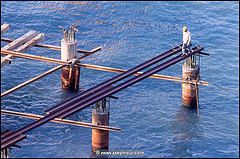
Seattle Anchor Shadow

Over the past couple of weeks, I have been slowly consolidating Hard Drive space within my home-office network.

Because of my background as an backup administrator, I am especially concerned and focused on having redundant copies of data, just in case.

Murphy would be proud…

With that being said, I looked at my various existing 100GB-250GB internal and external hard drives that were sprawled all over the place, and bought a couple of TB hard drives.

Then the fun part, looking at the life cycle of the house data.

There is current local stuff, the Live Data for the house, and then the Secondary Backup.

Next was writing the various robocopy scripts, and making sure I use /e and /mir correctly…

Several more days of data transfer, I finally think I have ALL the data in a nice consolidated fashion!

For the first time in 5+ years, I have everything on one Hard Drive!

Yeah!

But now, as I now am analyzing the capacity of the Live Data drive, I find myself evaluating the situation.

Is my new Half-Full or Half-Empty?

In my 30 plus years of IT, very rarely, have I heard of a hard drive referred to as Half-Empty.

Seems that the when we talk about technology and storage, we tend to be optimistic!

When was the last time your thumb drive Half-Empty? or that CD/DVD that you just burned… Half-Empty?

When was the last time you checked your backup?

Thoughts?

– Andrew
§ § § § §
[adrotate banner=”1″]
Categories
Add-Ons Backups Browsers Flickr Hacking How to(s)? Information Reference Tech Talk Tips

flickr Award Counter – Backup, Restore and Transfer

If you get involved with the Flickr photography groups that have awards, you will notice that there is no really good way to track what you have, until flickr Award Counter (fAC) by Andy Felton (PhazeShift).

flickr Award Counter can take some time to initially setup, because you have to enter in each Award Title (think of a naming structure), and the URL to the Award image for the greasemonkey/javascript counters to work, but once it is done, fAC works great!

But beware, once done, there does not appear to be a direct way to back up all your filter/counter work.

Backup

After some hunting, I found a thread on the Flickr Hacks – “Award Counter – backup?“, which suggested that one backup the Firefox “prefs.js” file, which can be found (example: Win XP):

C:Documents and Settings%profilename%Application Data ¬
MozillaFirefoxProfilesdm24ria8.defaultsprefs.js

where

%profilename%

is the current user, and

dm24ria8.defaults

could be “any-name.defaults” within this path, and includes “prefs.js”, and all the more fun if there are multiple users! A-)

The simplest backup, is to copy/duplicate the “prefs.js” file within the same directory and adding the “.bak” extension (“prefs.js.bak”) or copy the file to another location, and leave yourself a reminder of where!

Restore

To restore, just replace the damages file with the backup from above.

Transfer

Many times, all you want to do, is to transfer your filter/counter information from one machine to another.

If you use the Restore method mentioned above, one of the immediate down sides is that the destination machine, will inherit the “prefs.js” settings from the source machine.

In some cases, this might be sufficient, but what if you ONLY want the filter/counter information.

about:config

On the machine that has the Main/Source of filter/counters, launch Firefox, and type about:config in the address bar.

You will get a warning screen, and just agree.

[Technically, you are on your own now, so...]

Scroll down to the following filter:

greasemonkey.scriptvals.http://www.phazeshift.co.uk/download//flickrAwardCounter.awards

Double click on the entry, and a new window will open up.

In the “Enter string value” window, copy the string value.

Move to the destination machine, and find the similar entry, and paste in the source filter information.

Quit your browser, and re-launch Firefox, and check your work.

This has been done transferring an existing series of Firefox 4.0 XPro filters to Firefox 4.0 Win7Pro (destination):

C:Users%profilename%AppDataRoaming ¬
MozillaFirefoxProfilesx5lnhhwl.defaultpref.js

with out issue (“x5lnhhwl” will change).

Your mileage may very.

Feature Request(s)

  • Ability to Export/Import filter/counters
    • These could be “traded” via Flickr

Please feel free to add Comments or Feedback.

– Andrew
§ § § § §
[adrotate banner=”1″]