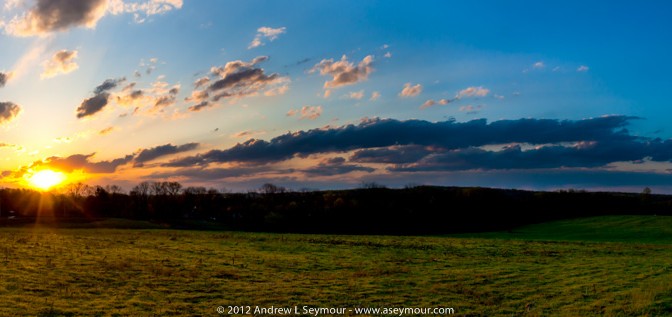
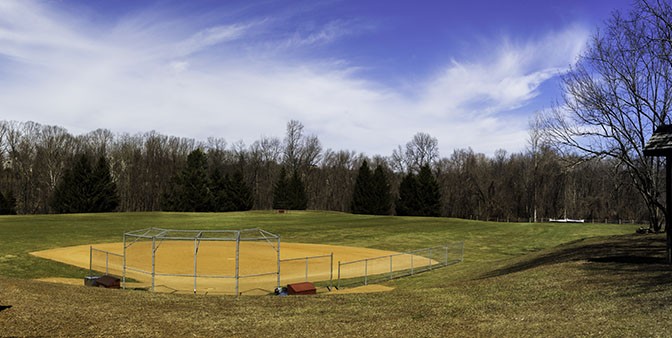
This morning, I started to “stitch” together a panoramic photo that I had taken the other day in Dowlin Forge Park, right here in Downingtown.
It is a series of (28) Canon RAW files (cr2) that were taken with a Canon T5i/700D, imported into Lightroom 5.3, and merged into a straightforward panorama image in Photoshop CS 6.
I knew this was going to be a large file from previous experience, but I have not tried yet to really push my new computer setup, so…
The actual merge of the (28) 16-bit files took about 3-4 minutes, which was A LOT better than last time, where I had to break-up the (42) files into groups of 10, merge them into one file, and repeat until all the files were merged.
Once the merged file was in Photoshop, with all 28 layers showing, my new machine was not even breathing too hard. Even with Lightroom and several Chrome instances, I was still only pushing 85% physical RAM and the CPU spiked at 15%!
From there, I tried to “Save As” a Standard Adobe PSD, and got the standard error dialog, showing the 2GB file size limitation.
Nothing new there…
Then I tried a “Save As” as an Adobe TIFF file, and this time the computer took a great deal longer, 5+ minutes, before there was an error, and during that time, Photoshop created a 10.6+ GB file tmp!

To date, this is the single largest file that I have “Saved” in Photoshop!
Finally, I tried saving the file as a Standard Adobe PSB file, which is still a large file at 3.3+ GBs!

Time to Flatten some Layers!
With the Main PSB file open, I Flattened the Layers into 1, and did a “Save As” a PSB and then Re-Opened the Main PSB file, Flattened, and “Save As” again as TIFFs, and was very happy to see both files sizes were nearly identical at 638 MBs!

Conclusion
I conducted this test mostly out of personal curiosity and to see if files have remained consistent since the last time I did this experiment.
I expected the file size to go up, mainly because I was using 27-28 MB files created with the Canon T5i/700D vs 8-9 MB files with the Canon XTi.
If I were to estimate, the same 46 shoots done in 2011 could easily reach 6 GBs as a PSB file, and maybe create a 20-30 GB temp file at the same time.
Be sure that you have enough scratch disk space before you start.
It should be obvious that if you know a file is going to reach over 4 GBs, save it out as a PSB and go from there in the rest of your workflow.
The current maximum file file for an Adobe PSB is 4 exabytes – 300,000 x 300,000 pixels – 350 x 350 feet, which should keep you.
It is also nice to see that after Flattening, both PSB and TIFF files appear to be the same size.
Personally, I would keep the TIFF files, mostly because TIFF is NOT a proprietary file format, and in the future, if I want to move the file into another program, it will be easier.
Although I wrote my first post on PSB vs TIFF several years ago, I have yet to find out what IS all the Un-Saved data?
Duplicate “colors?” Non-Human readable code?
If you happen to know, please let me know.
I’m just very curious!
And finally, it should be noted, just like last time, the 2 PSB files do NOT show up in Lightroom, so you have to remember that they are there.
The TIFF file that was created, after Flattening all the Layers, DOES show up in Lightroom.
Adobe Bridge CS6 (5.0.2.4 x64) is able to show the Flattened PSB and TIFF, but NOT the larger Un-Flattened 3.3+ GB PSB file.
Hope you enjoyed my little file size observations.
If you have any questions or answers, please let me know!!
[contentblock id=1]